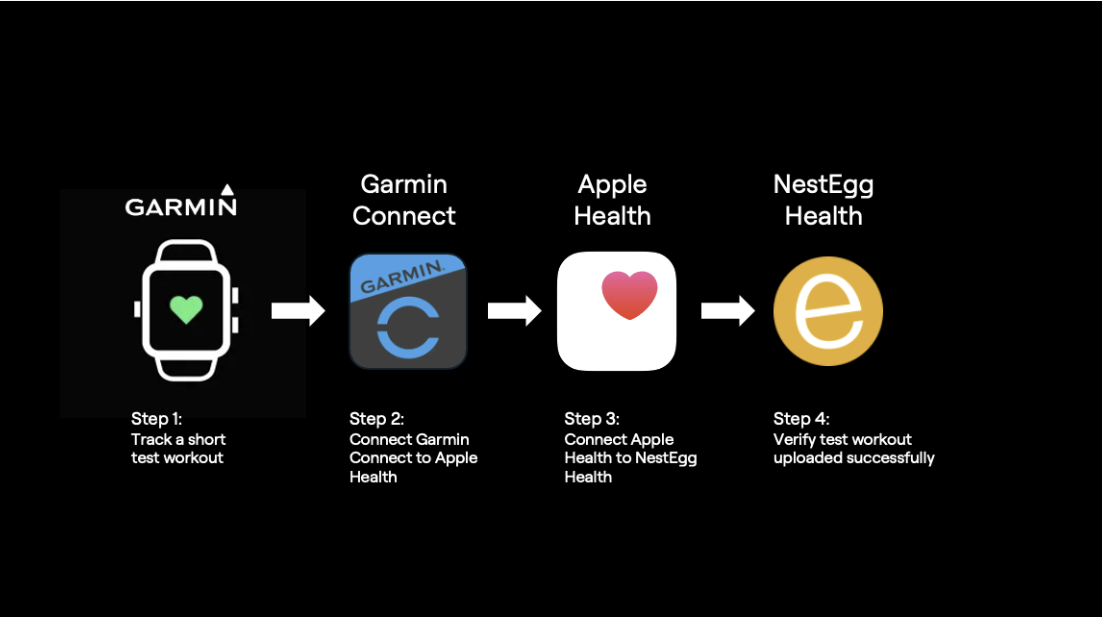


(Garmin) Wearable onboarding
(Garmin) Wearable onboarding
Screen 1
Upload your workouts to NestEgg
Pick the method that suits your device. You can change anytime
Option 1 — Auto-Upload (recommended)
Works with Apple Health. Your wearable sends workouts to Apple Health; NestEgg imports them automatically. Choose your device from the list of supported wearables
Option 2 — Photo-Upload (fast fallback)
If your device isn’t supported (or you’re in a rush), snap a photo of your workout summary and we’ll score it
Small note under buttons: “You can switch between methods anytime.” User selects Garmin device for Auto-Upload
Screen 2:
Connect Garmin to NetEgg Health
Before we start:
Q1. Have you already installed Garmin Connect on your iPhone?
If “Yes” Proceed to Q2
ELSE Bring to new screen showing link to “How to Install Garmin Connect on iPhone”
Q2. Have you successfully tracked a workout with your Garmin and synchronised it with Garmin Connect?
If “Yes” Proceed to Screen 3
ELSE Bring to new screen showing link to “How to Track Workouts with your Garmin and Garmin Connect on iPhone”